Typing posts with Markdown syntax
If you’ve ever written README file for GitHub, you probably know what this is about.
But still for everyone, let me summarize all the relevant sources and syntax tips for writing posts just like on this blog site!
Actually, if you want to write it exactly the same way, you can just look up the raw
.mdfiles in my site repo.
Starting from the bottom
If you want to get started with Writing on GitHub, you probably should just Start writing on GitHub… No kidding, everything from the Basic writing and formatting syntax up to advanced formatting is here, concise and easy to follow. I recommend reading through it all, even if you don’t need everything right away. It’s great to know in the back of your head what you can do with Markdown magic!
If we want to be precise, it’s important to mention, that GitHub uses a special Flavored Markdown.
- Side notes:
- GitHub Flavored Markdown specification is actually based on CommonMark Spec.
- Markdown was originally developed by John Gruber and published in 2004 in the form of a syntax description.
Tips and tricks
For a quick lookup on anything you commonly might need, I recommend using any Markdown Cheatsheet that you might find useful for yourself. After knowing what is what from the GitHub docs, a cheatsheet is all you need to double-check your syntax, or to look up any missing pieces you may have forgotten.
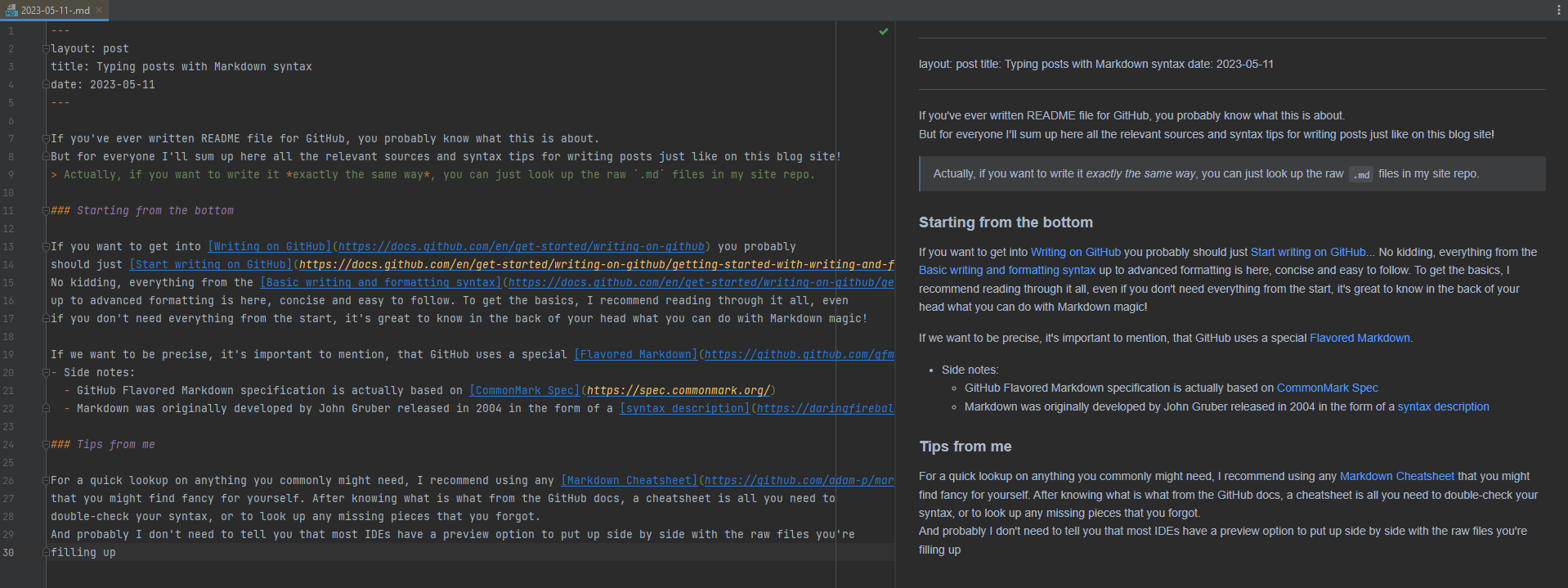
And I probably don’t need to tell you that many integrated development environments (IDEs) have a preview option for Markdown files. This allows you to see a live preview of your content while writing, which can be helpful in ensuring that your formatting looks right. Here’s an example from PyCharm:
Practicing typing… just typing
Last but not least, typing posts with Markdown syntax comes down to… well just typing. And I cannot recommend enough this new site I recently discovered called keybr.com. It’s a fantastic resource for practicing typing correctly, increasing your typing speed, and of course typing without looking at the keyboard. The teaching method employed by Keybr is refreshing, offering generated lessons that match your skill level instead of repetitive exercises.
Okay, I won’t spoil too much here, just go and spend 5 minutes on the site, even to just test your typing speed, accuracy and score on the site. Good luck and have fun practicing typing, and typing in Markdown!